 BetaAkari: Light Up
Screw Workshop
Puzzle · Beta
Ready for your next game.
Play next
Screw Workshop
Beta · This game is still in development.
- Developer
- Zarocer
- Published
- Oct 7, 2026
- Updated
- Oct 7, 2026
- Technology
- HTML5
- Devices
- PC, Tablet, Mobile
- Orientation
- Adaptive
- Players
- 1
About the game
An original browser game by Zarocer.
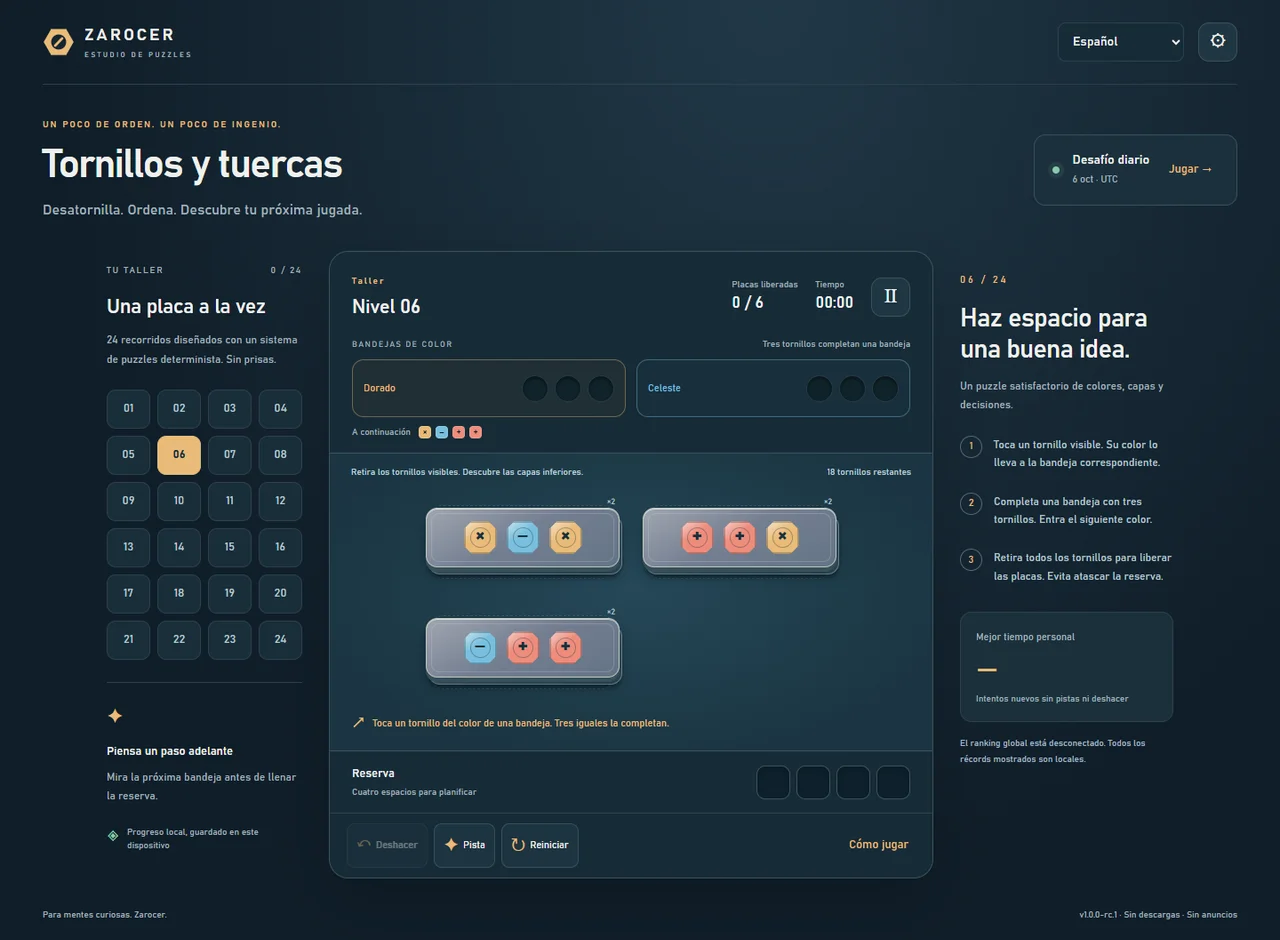
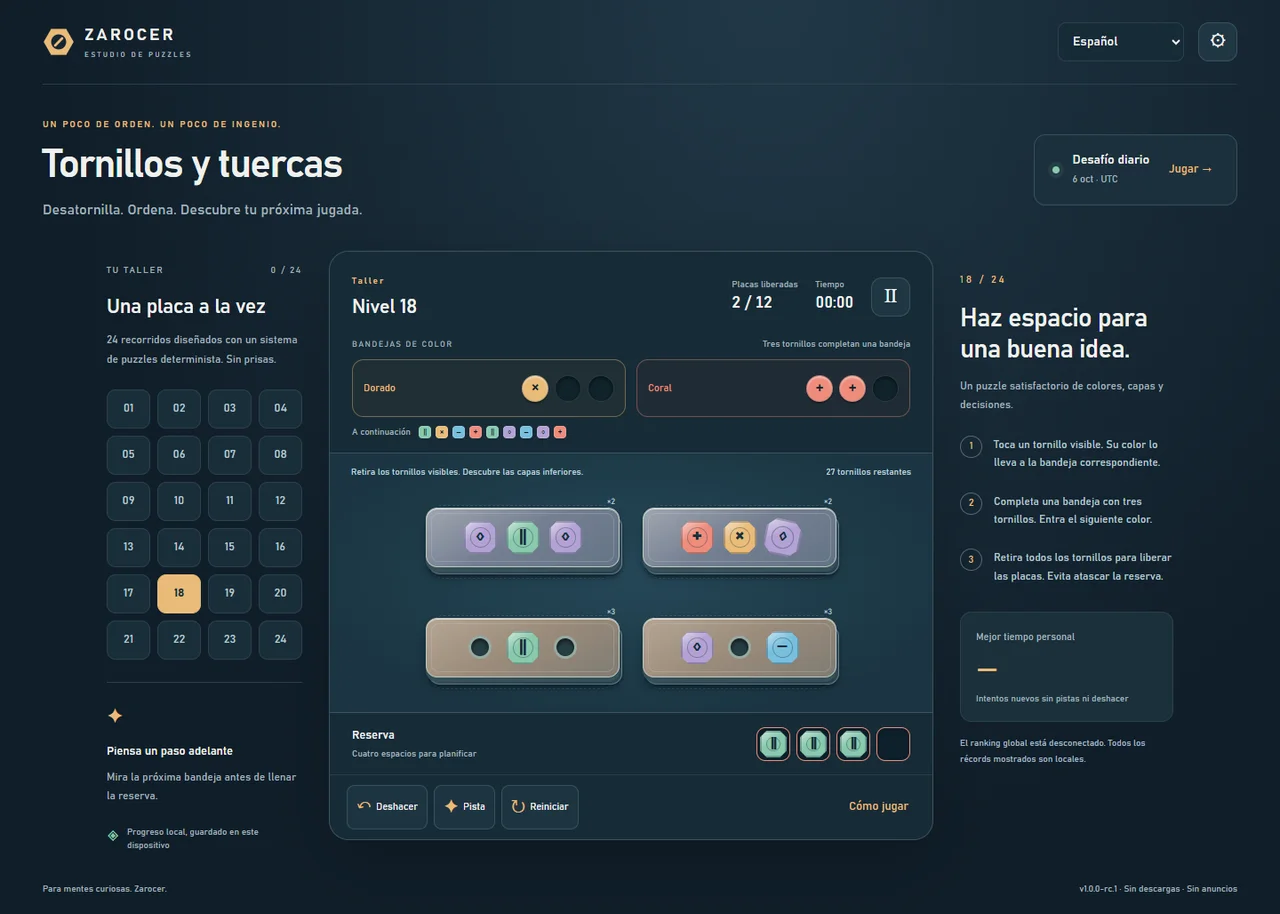
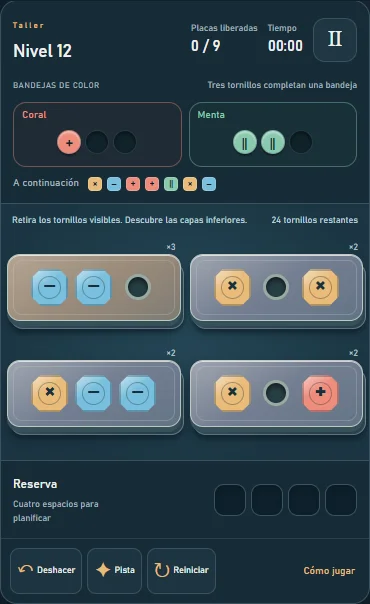
One plate, three screws and a choice: which should come out first? Screw Workshop is an original puzzle about color sorting and stacked plates. Each exposed screw enters one of two active color trays or waits in four reserve spaces. Three matching screws complete a tray and advance the queue. Clearing a plate reveals the next layer. The workshop contains 24 fixed challenges. Early puzzles introduce the rules at a gentle pace; later boards add colors and deeper layers that reward looking ahead. The daily challenge uses the UTC date to generate the same puzzle for players using the same generator version. There is no time limit and no advertising inside the game. Hints, undo and restored saves remain available for local practice. Personal best times belong to your device. Global ranking is offline in this release candidate.
Controls
Tap or click an exposed screw on the front plate. Trays collect three matching screws and refill from the visible queue. Other colors wait in the reserve and move automatically into compatible trays. Remove all three screws from a plate to reveal the next layer. Release every plate to win. You lose when all four reserve spaces are full and no exposed screw matches an active tray. Use Tab or arrow keys to select screws, then Enter or Space to remove them. Escape opens pause.
How to play
Tap or click an exposed screw on the front plate. Trays collect three matching screws and refill from the visible queue. Other colors wait in the reserve and move automatically into compatible trays. Remove all three screws from a plate to reveal the next layer. Release every plate to win. You lose when all four reserve spaces are full and no exposed screw matches an active tray. Use Tab or arrow keys to select screws, then Enter or Space to remove them. Escape opens pause.
Screw Workshop gameplay screenshots
More games to discover
BetaAkari: Light Up BetaBinario: Takuzu
 BetaDiagonals
 BetaDifference Atlas
 BetaDominosa
 BetaEstrellas: Star Battle
 BetaFillomino
 BetaFleet Logic: Battleship Solitaire
 BetaParking Jam Puzzle
 BetaRegions
 BetaSkyscrapers
 BetaSymmetric Galaxies
 BetaTangram Atelier
 NewAurora Match
 NewBox Pusher
 BetaBridge Builder
 NewChromatic Flow: Water Sort
 NewCode Breaker