Guides
Circle TD: get to know your defense
A practical first stop before defending the Circle: explore the native guide, choose your mode and return to a saved match.
October 8, 2026 · ZarocerRead guide
Find your footing in Zarocer’s geometric survival game. Learn the controls, build useful upgrade combinations and resume your run.
By Zarocer · October 8, 2026 · 2 min read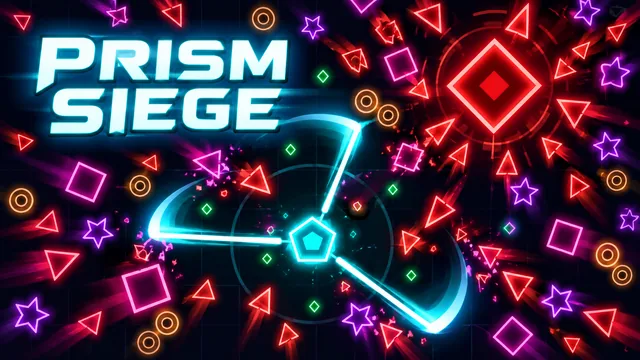
In Prism Siege, your weapons attack automatically. Your first job is to move the core through the arena without becoming trapped. Use WASD, ZQSD or the arrow keys on desktop. You can also hold the mouse button and move, or drag on a touchscreen.
Gems fuel your upgrades, but a gem surrounded by enemies can cost more than it is worth. Circle back when a route opens. Leave room to change direction instead of chasing every pickup in a straight line.
Select an upgrade by clicking, tapping or using keys 1–4. Think about how each choice supports the equipment you already have. A useful combination matters more than collecting unrelated options.
Raise a weapon to level 5 and obtain its matching passive to prepare an evolution. A boss chest can then evolve it. Keep an eye on those pairings while building your loadout.
The campaign spans eight sectors. Endless survival offers a longer run, while the UTC daily challenge gives you another way to play. Workshop core upgrades carry between sessions. Portal-wide rankings and rewards are separate from these native game systems and are not connected yet.
Press Esc or P to pause. Options let you change language, music, effects and motion. After reloading, open the game menu and choose Continue run. Use the same browser and domain with storage allowed: this distribution saves locally and does not include cloud saves or multiplayer.
A practical first stop before defending the Circle: explore the native guide, choose your mode and return to a saved match.
October 8, 2026 · ZarocerRead guideUnderstand what a favorite saves, how Continue Playing works and why game progress stays with your browser.
October 8, 2026 · ZarocerRead guideUse the game’s supported devices, touch controls and screen orientation to make your next mobile session more comfortable.
October 8, 2026 · ZarocerRead guide